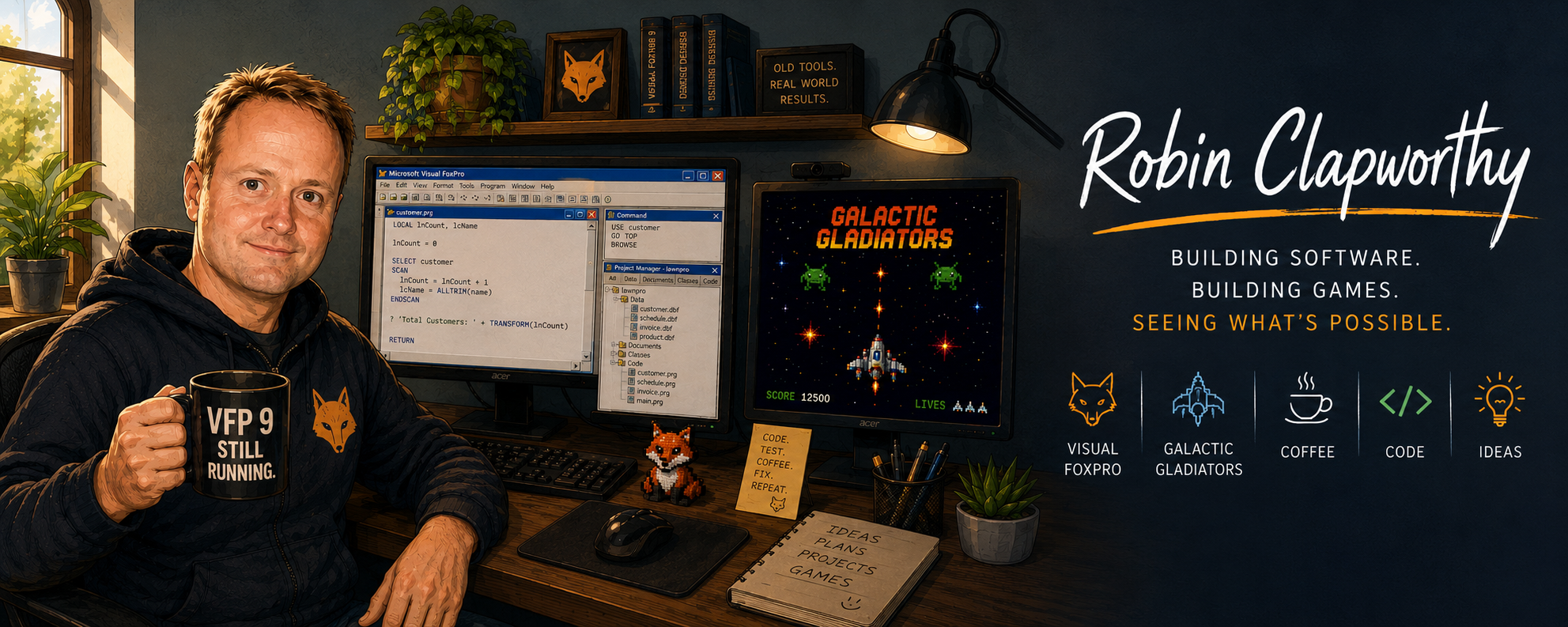
How far can Visual FoxPro be pushed?
Galactic Gladiators began as a small experiment in moving a spaceship around a Visual FoxPro form. It has since grown into a triple-buffered game engine with animated enemies, curved flight paths, particle effects, music, speech, controller support and force feedback—all driven by Visual FoxPro 9
The Engine
GG runs on Visual FoxPro 9, using a single 30-millisecond game loop to update movement, collisions, weapons, enemy behaviour and animation. That gives the game a target speed of approximately 33 frames per second.
| Engine | MS Visual FoxPro 9 |
| Rendering | GDI+ triple buffering |
| Game loop | 30 milliseconds |
| Target frame rate | Approximately 33 FPS |
| Graphics | Cached PNG artwork |
| Screen updates | Completed frames copied to screen |
| Current status | Active development |
Controller Support and Testing
Galactic Gladiators can be played using the keyboard or a PlayStation 4 controller. The controller connects through an 8BitDo wireless receiver and is presented to Windows as an XInput-compatible device.
XInput allows Visual FoxPro to read the analogue sticks, buttons and triggers by calling functions in Microsoft’s xinput1_4.dll. The left analogue stick controls the ship, while buttons are assigned to firing, boosting, pausing and other actions.
| Feature | Implementation |
|---|---|
| Controller | PlayStation 4 controller |
| Windows interface | XInput |
| Input library | xinput1_4.dll |
| Movement | Left analogue stick |
| Analogue dead zone | Approximately ±8000 |
| Additional controls | Fire, boost, pause and menu selection |
| Force feedback | Dual-motor controller vibration |
The PlayStation 5 DualSense controller works with Galactic Gladiators when connected by USB and translated to XInput using DS4Windows. This includes analogue movement, buttons and controller vibration.
So the tested controller configuration is:
| Component | Working configuration |
|---|---|
| Controller | PS5 DualSense |
| Connection | Wired USB-C |
| Translation | DS4Windows |
| Emulated controller | Xbox 360 / XInput |
| Movement and buttons | Working |
| Boost vibration | Working |
The Difficult Part: Controller Modes
A controller appearing in Windows does not necessarily mean every feature will work. During testing, movement and buttons could operate correctly while vibration remained completely unavailable.
The problem was eventually traced to the controller’s connection mode and interference from controller-emulation software. Windows could see the device, but it was not always connected as the XInput controller expected by the game.
Testing therefore includes:
- Confirming the controller appears in Windows Game Controllers.
- Checking that
XInputGetState()returns a successful result. - Testing both vibration motors with
XInputSetState(). - Verifying the receiver and controller are using the correct connection mode.
- Closing software such as DS4Windows when it creates a conflicting virtual controller.
This was a useful reminder that “controller connected” and “controller fully supported” are not necessarily the same thing. The game, Windows, the receiver and the controller must all agree about which protocol is being used.
Graphics and Rendering
GG uses GDI+ to draw the game into three off-screen buffers. The player never sees the game while a frame is being assembled; only the completed frame is copied to the screen. This prevents the flickering normally associated with repeatedly moving and redrawing Visual FoxPro controls.
Frequently used PNG graphics are cached in memory before the action begins, avoiding repeated disk access during play. Resizing the original asteroid artwork from 1000 × 1000 to 256 × 256 pixels also removed an earlier performance stutter.
Enemy Fleet
Enemy ships are stored as independent game objects rather than ordinary Visual FoxPro controls. Each can have its own position, movement path, role, health, protection state and behaviour. Fighters use curved Bézier flight paths to launch from the mothership, form attack patterns and respond to the player.
| Enemy type | Current specification |
|---|---|
| Standard fighter | 64 × 64 pixels · 1 hit |
| Support vessel | 80 × 120 pixels · 4 hits |
| Medium carrier | 150 × 110 pixels |
| Mothership | 12-point integrity system |
| Enemy projectile | 12 × 28 pixels |
How Much Can It Handle?
The current battle can display six attacking fighters, two medium carriers and the main mothership, alongside the player, projectiles, particle effects and a continuously updating HUD. GG is therefore already drawing and managing approximately nine substantial spacecraft during combat.
The true limit has not yet been measured. A planned performance monitor will record frame time, active enemies, projectiles, particles and cached graphics. A dedicated stress test will then continue adding enemies until GG can no longer maintain its target speed.
Sound, Voices and Feedback
Audio is treated as part of the gameplay rather than background decoration. Important events use distinctive sounds so the player can recognise collecting an item, firing a weapon, taking damage or receiving an instruction without relying entirely on the screen.
Music is played through Windows Media Player, while shorter WAV effects are triggered through the Windows sound system. Spoken dialogue uses the Microsoft speech engine, with plans for automatic music ducking, character portraits and matching on-screen subtitles.
| Source | Audio Identity |
|---|---|
| Music | MP3 through Windows Media Player |
| Sound Effects | WAV through Windows PlaySound |
| Barf | British male radio-presenter style |
| Ship Computer | Clear female warning voice |
| Transmissions | Voice, portrait and matching text |
Sound design is now a major development focus. The collectible sound was retained after producing an unsolicited “ooh” from teenage playtester Tom. The player’s arrival, boost and other key effects are being redesigned to produce the same immediate response
Audio System
Galactic Gladiators uses separate Windows audio channels for music, speech and sustained gameplay effects.
Short effects such as lasers, warnings and collected items use the Windows PlaySound API. Music is handled through Windows Media Player, while sustained effects such as the player’s boost use their own independent media-player object.
This allows the background music to be “ducked” while an important sound is playing without reducing the volume of the effect itself. The boost sound is preloaded, played on its own channel and stopped when the controller button is released.
Because Windows Media Player loads audio asynchronously, GG checks its playback state during the game loop and retries until the player confirms that playback has begun.
| Audio feature | Implementation |
|---|---|
| Background music | Windows Media Player OCX |
| Short sound effects | Windows PlaySound API |
| Sustained boost effect | Independent WMP audio channel |
| Music ducking | Music volume reduced while boost is active |
| Playback confirmation | WMP playState checked during the game loop |
| Speech | Microsoft SAPI |
| Audio format | WAV and MP3 |
| Boost control | Starts on button press and stops on release |
Layered Audio
Galactic Gladiators uses separate preloaded audio players for its major sound-effect groups. This allows music, speech, weapons, impacts, alarms, portals and explosions to overlap without unrelated sounds interrupting one another.
Short effects of the same type may restart their own channel, but important sounds—including the medium-ship entrance, mothership alarm and BARF’s dialogue—remain independent.
This page will continue to evolve as the engine develops and new limits are discovered.